Editor & Optimization (TFSD)
Understanding Keyword Highlighting and T F S D Color Coding in Your Listing Editor
Understanding Keyword Highlighting and T F S D Color Coding in Your Listing Editor

When optimizing your product listing, it’s important to know where and how your keywords are used. In the Listing Editor, you’ll see two types of highlighting that help you track keyword usage: keyword text highlighting and TFSD indicators. Here’s a simple guide to understanding both. https://www.youtube.com/watch?v=Oic8Et0zI-A
1. Keyword Text Highlighting: Word-Level Green Highlights
Each keyword is made up of one or more words. In the keyword list:
- Each word will be highlighted in green if that word appears anywhere in your listing, whether in the Title, Features, Search Terms, or Description.
Example: Keyword: “Sports Towel”
- If the word “towel” is found anywhere in your listing, “towel” will be green.
- If the word “sports” is also found anywhere, “sports” will be green too.
This helps you quickly see which parts of the keyword are already used somewhere in your listing.
2. TFSD Indicators: Section-Level Keyword Usage
Next to each keyword are four columns labeled:
- T = Title
- F = Features (bullet points)
- S = Search Terms (backend keywords)
- D = Description
These columns use colors to show how your keyword appears in each section.
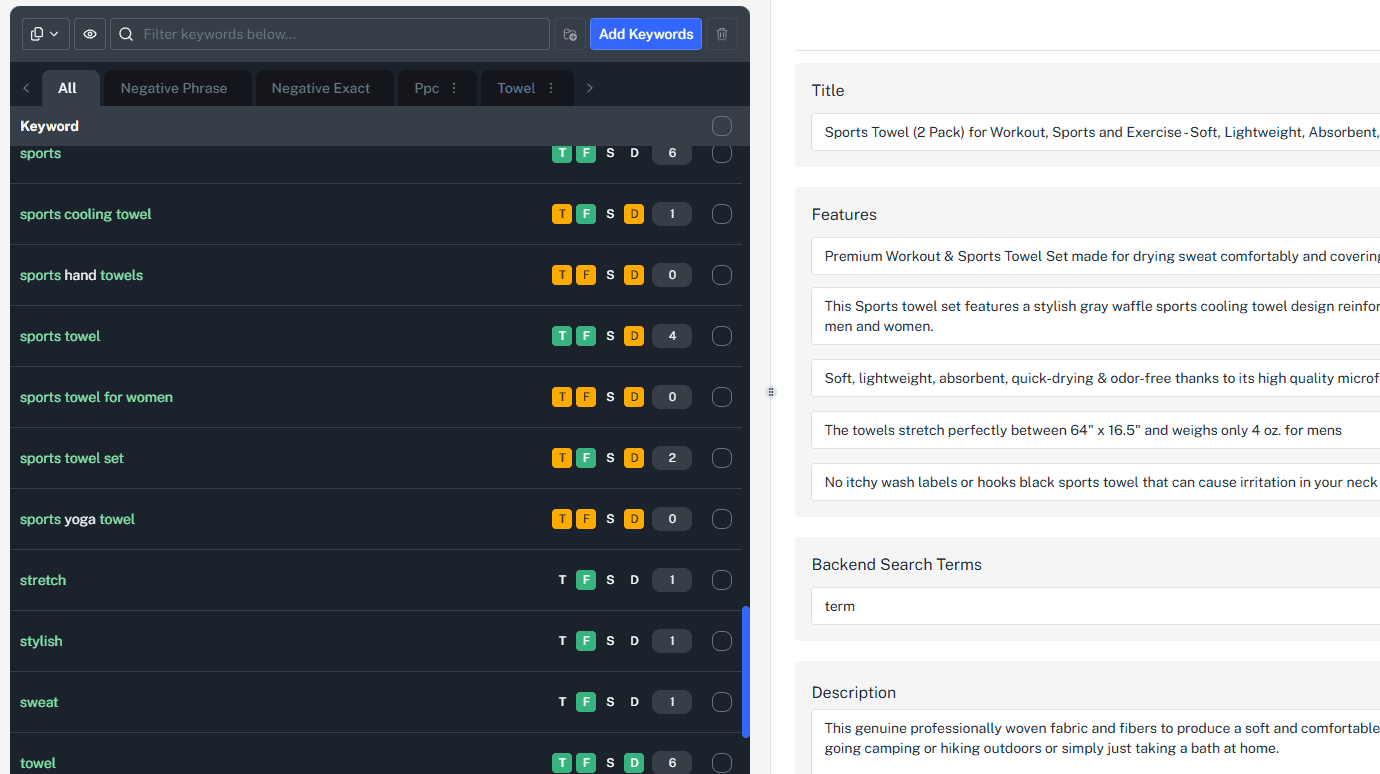 Colors and What They Mean:
Color Meaning Green The entire keyword phrase appears exactly as written in that section. Orange All words from the keyword appear in that section but not as an exact phrase (words may be scattered or out of order). None None or only some words of the keyword appear in that section.
How It Works - Examples
- Keyword: “Sports Towel ”
Section Listing Content Example TFSD Indicator Explanation Title “Sports Towel” Green Exact phrase “Sports Towel” found → green Features “Towel for sports activities” Orange Both words present but order changed → orange Search Terms “Towel” None Only one word present → no highlight Description No mention None No words present → no highlight
Why This Matters
- Keyword Text Highlighting helps you see if each individual word from a keyword is used anywhere in your listing.
- TFSD Indicators show you exactly how and where your full keywords are placed, helping you understand if you’re using them effectively.
- Green means perfect match and placement; orange means partial or scattered matches; no color means room for improvement.
Tips for Using This Information
- Aim for green TFSD indicators in your most important sections like Title and Features.
- Use orange as a sign to improve phrasing or rearrange words to match the exact keyword phrase.
- The green word highlights let you spot which words are missing completely.
- Remember, it’s okay if all keywords aren’t in every section - focus on placing them where they matter most.
If you apply this system carefully, you can improve your listing’s visibility and relevance, making it easier for customers to find your product.
Pro Tip
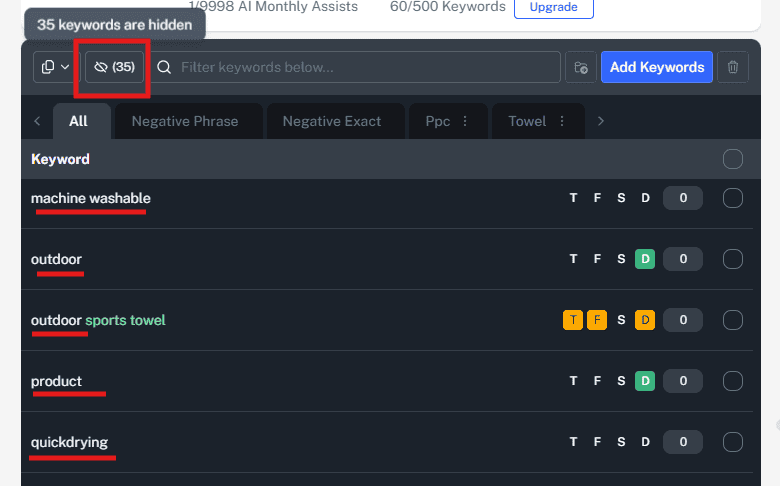
Use the eye icon in the keyword list to hide keywords already used. This helps you focus only on the terms you still need to work into your listing. Reminder: You don’t need to use every keyword in every section. Focus on placing your most important keywords in the Title and Features, and use others in the Search Terms or Description as needed.