Getting Started
Understanding Brands
Understanding Brands

If you manage multiple products, storefronts, or clients, organizing everything under one roof is essential. That’s where Brands in Keywords.am come in. Think of a “brand” as a container for your product listings, projects, and keyword strategies that all belong to the same company, storefront, or product line.
Managing One or More Brands
Pro includes up to 5 brands, and each one can connect to an Amazon store. Explore doesn’t include brands. Your plan’s brand count is under Settings → Plan. Whether you’re a solo seller running multiple private labels or an agency helping a few clients, you can manage them all from a single account.
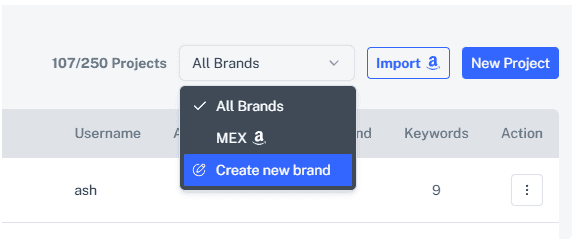
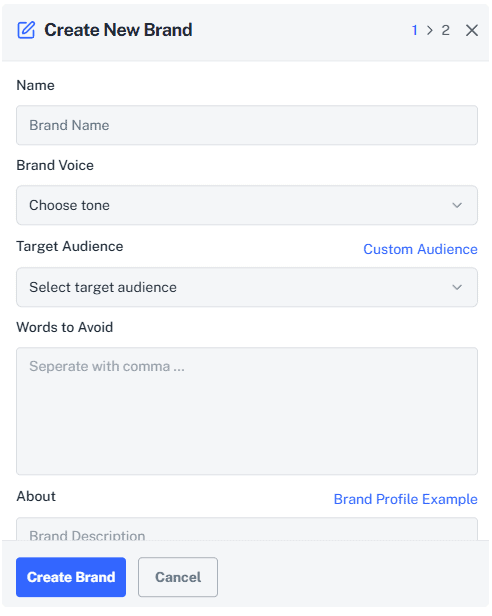
Each brand stays separate from the others - your projects and its Amazon connection are organized within the brand they belong to. Each brand also has its own profile: an About section, a tone, a target audience and words to avoid, which the AI writing tools follow. This helps reduce clutter and keeps your workflow clean.
Connecting a Brand to Amazon Seller Central
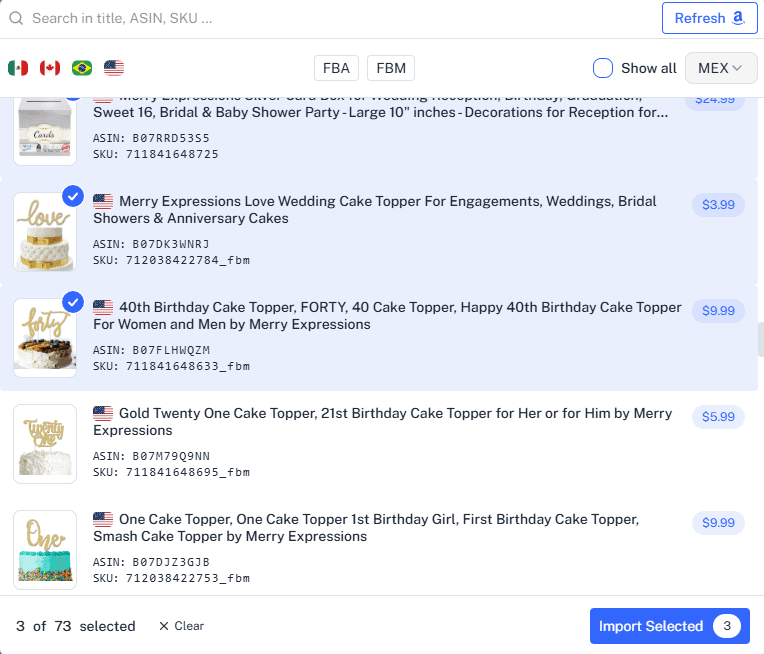
If you want to import your product listings or publish directly to Amazon, you can connect your brand to your Amazon Seller Central account. Once connected, you get:
- Import of your listings, including backend search terms
- Publishing your changes back to the live listing
- Amazon’s search query and sales and traffic reports for your products (your store needs Brand Analytics for these)
Setting this up is easy. You start by creating a brand in your Keywords.am dashboard.
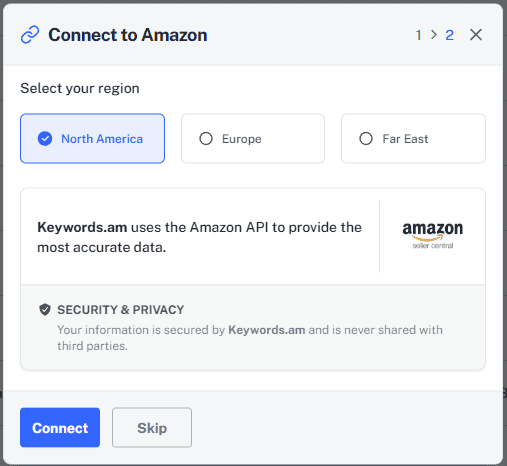
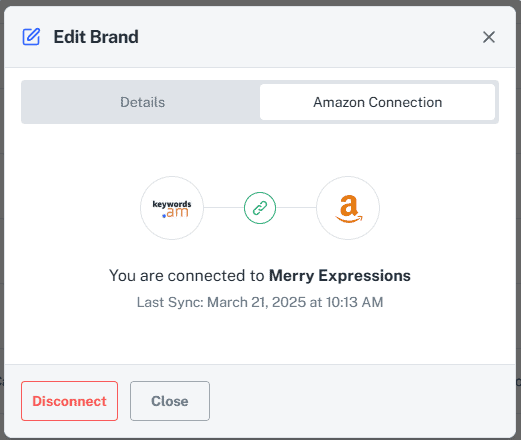
Then, you authorize the connection between that brand and your Amazon account. Once authorized, you’ll see an Import button with the Amazon logo, allowing you to pull in your live product listings.
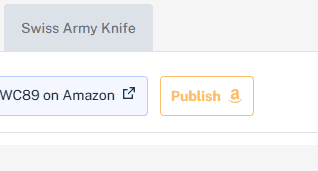
Once you import your listing from Amazon into Keywords.am and make any desired changes, click the Publish button in the editor to review the changes and push them to your Amazon Seller Central account. Publishing overwrites the listing’s current Title, Features, Search Terms and Description on Amazon.
If you disconnect a brand from Amazon, we delete the Amazon report data we imported for that store. Your projects stay, but they’re no longer linked to their Amazon listings.
Do I Need to Connect to Seller Central to Use Keywords.am?
No! You can create listings without ever connecting to a Seller Central account, on any plan. This is great for:
- Agencies preparing listings for clients
- Sellers getting ready for launch
- Freelancers working offline
You can still build listings, research keywords, and organize your product strategy - even if your product isn’t live on Amazon yet.
Selling in Multiple Marketplaces? No Problem.
You don’t need a separate brand connection for each Amazon marketplace to write listings. You can create listings for Amazon.com (US), Amazon.ca (Canada), Amazon.co.uk (UK), Amazon.fr (France), and more, up to your plan’s marketplace count: Explore includes 1 marketplace, Pro has no limit. A Seller Central connection is only needed if you want to import or publish listings directly. Since each brand connection is tied to one Amazon region, you can still build listings for other marketplaces under one brand. You just won’t be able to import or publish to those marketplaces unless you create separate connections.
Built for Global Sellers
On Pro, you can work across every Amazon marketplace Keywords.am supports, and switch regions and languages per project. You don’t need to juggle multiple accounts or dashboards to make it work. Even if your brand is connected to Amazon US, you can still create listings for Amazon UK, Germany, Japan, or anywhere else - all from the same account. In short, brands in Keywords.am are your organizational foundation. They help you manage listings more efficiently, work across clients, and keep your SEO strategy matched to each storefront. Whether you’re building listings from scratch or importing live data from Amazon, brands give you the structure you need to stay in control.