Getting Started
Importing Your Amazon Listings into Keywords
Importing Your Amazon Listings into Keywords

You can bring your Amazon listings into Keywords in two different ways, depending on your plan and whether you have a connected brand.
1. Importing ASIN/ISBN from Amazon (Public View) – Available to All Users
When creating a project, you’ll see the option to Import ASIN (or ISBN) from Amazon.
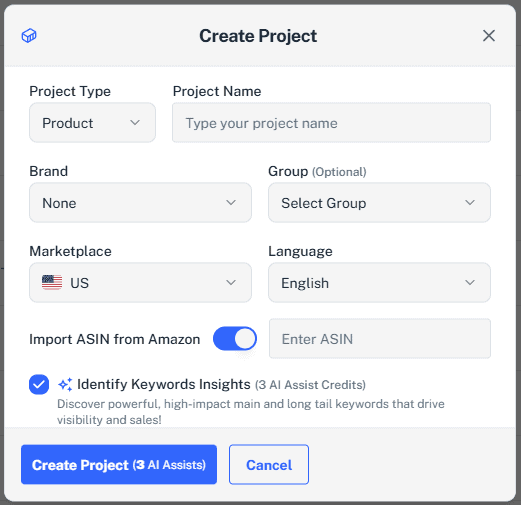
- This method uses the public listing page that shoppers see on Amazon.
- It imports details such as the title, bullet points, and description.
- Since it relies on the public view, backend search terms are not included.
✅ This option is available to all users and all plans.
2. Importing Directly from Seller Central (Connected Brand) – Available on Eligible Plans
If your plan supports brand connections and you’ve linked your Seller Central account, you’ll see an “Import (Amazon)” button.
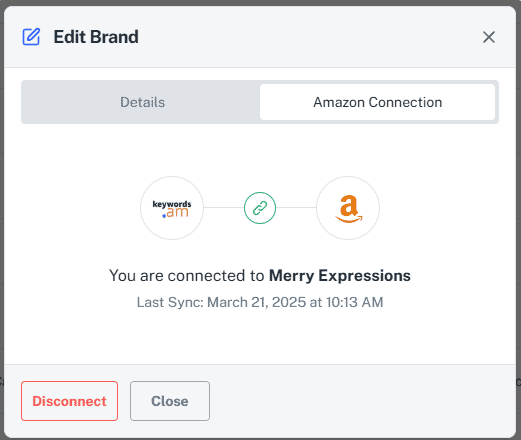
- This pulls in your live product data directly from Seller Central.
- Unlike the ASIN/ISBN import, it includes backend search terms that are not visible to shoppers.
- This provides a complete view of your listing, making it easier to optimize every detail.
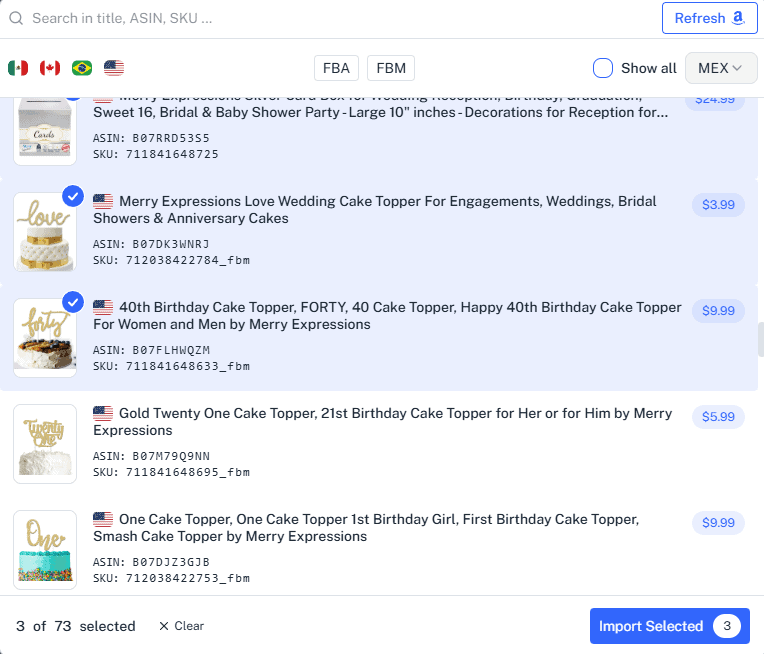 ⚠️ Note: This option is only available on plans that support brand connections. If you don’t see it, your account may not include this feature.
Comparison: Public View vs. Seller Central Import
Feature ASIN/ISBN Import (Public View) Seller Central Import (Connected Brand) Availability All users, all plans Only on plans with brand connections Data Source Public Amazon listing page Direct from your Seller Central account Visible Fields Title, bullets, description Title, bullets, description, plus backend search terms Best For Competitive research or analyzing public-facing content Full optimization of your own listings
Which Method Should You Use?
- Use ASIN/ISBN Import if you want quick access to public-facing content or need to research competitors.
- Use Seller Central Import if your plan supports brand connections and you want the most complete data, including backend search terms.